
When multiple actions need to be seamlessly integrated, AI video generation can get tricky. The abrupt movements, inconsistent objects, and broken transitions decrease realism. Seedance 2.5 Pippit aids in creating seamless action sequences with smooth visual transitions. This article provides planning, generation, editing, and optimization methods for connected AI videos. You will understand the benefits of structured prompts and references when it comes to story quality.
Understanding Multi-Action AI Video Generation
Multi-action AI video generation can be used to chain multiple movements together to form one coherent video stream. Connected actions: Each action leads to the next without an abrupt change. The recent AI video generator workflows are all about realistic timing, movement accuracy, and scene relationships. Pippit assists creators in creating videos with characters, objects, and environments that are more continuous. Seamless action scenes enhance the narrative as the audience gets a full visual journey. They cater to product demonstrations, ads, tutorials, social content, and cinematic ideas. Movement paths and subjects need to be planned and consistent with clear prompts for logical scene progression. Seedance models help to make smoother transitions, with knowledge of action relationships and visual details. This is helpful for projects that need to be done in sequence, as it makes the project look more professional and interesting.
Planning Action Flow Before Video Generation
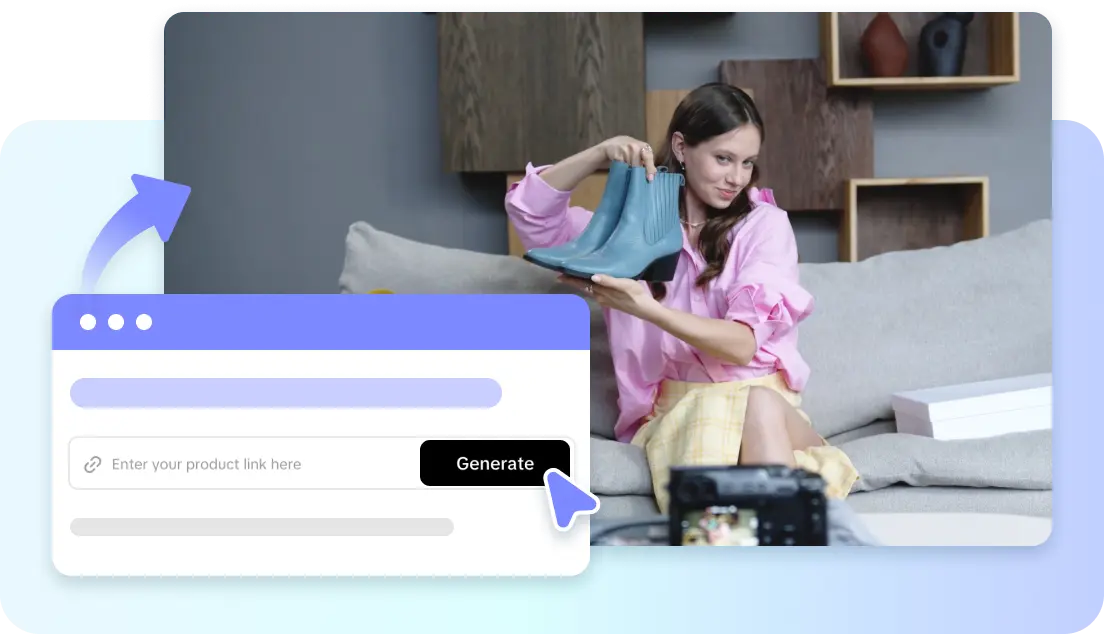
Planning action flow results in stronger action results before generation. Seedance 2.5 for Pippit is a tool for creators who use scene creation with different sequences of actions. Divide the story up into moments that are connected and set each movement. When writing prompts, keep the following in mind: What’s the first action, what’s the interaction in the middle, and what’s the result? Clearly describe the appearance, position, and behavior to keep the character and object consistent. Avoid perspective changes by using camera moves between actions. The created video looks like a single video thanks to a natural action timeline. Include movement, environment change, and timing expectations. The preparation can provide the AI with more guidance and improve the overall scene flow.
Steps to Connect Multiple Actions in One Seamless Video Seedance 2.5
Step 1: Plan your connected action sequence
- Sign up for Pippit using Google, TikTok, or Facebook account info.
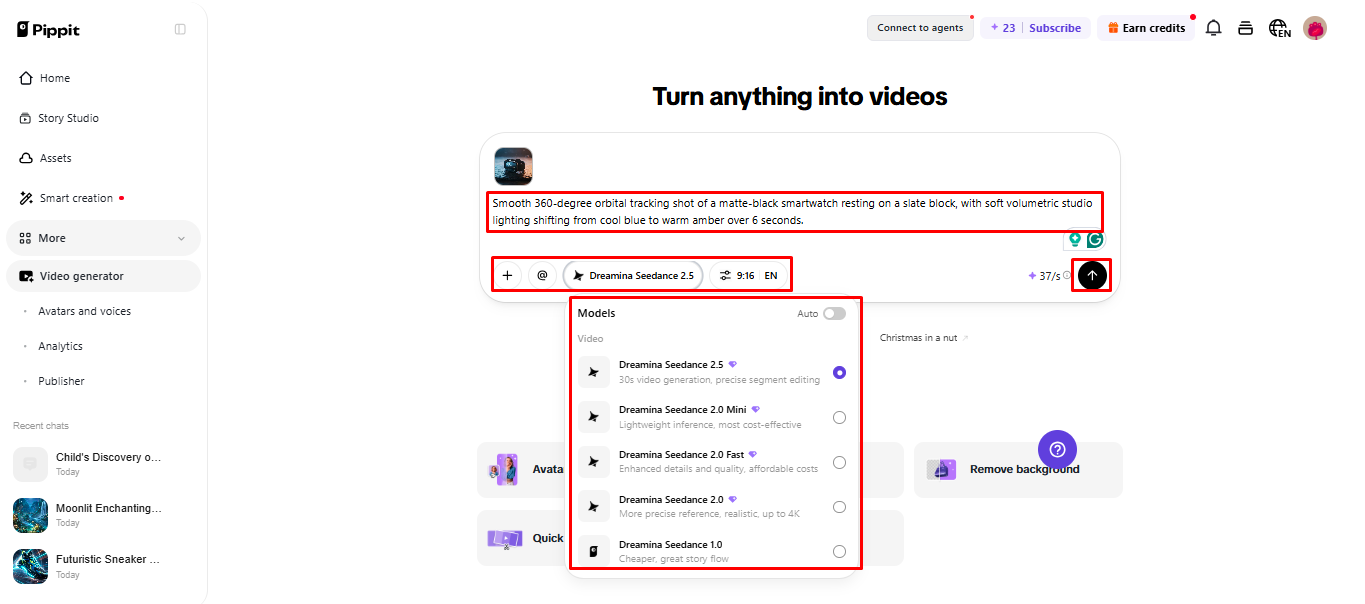
- Open the “More” tab from the left vertical menu bar and access “Video generator”.
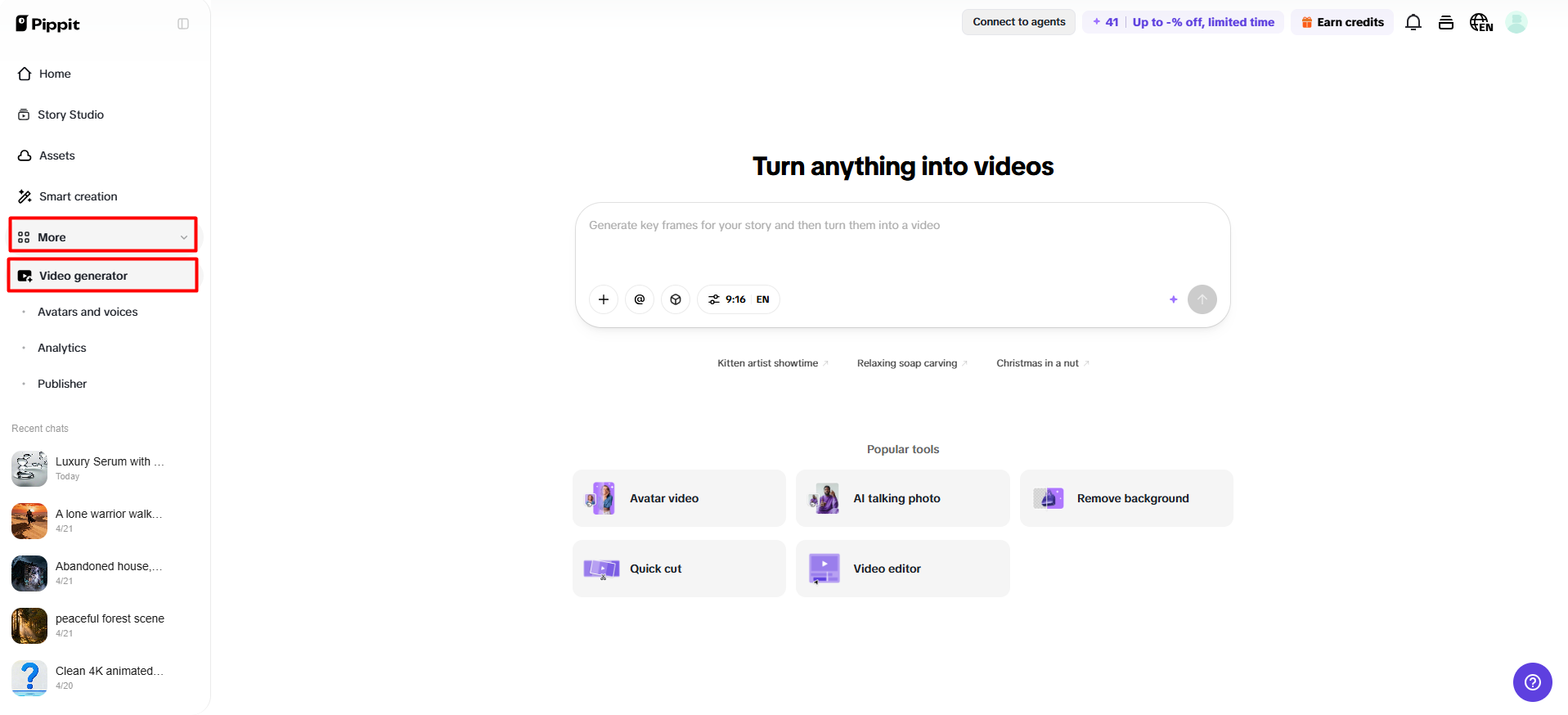
- Select “Dreamina Seedance 2.5” to create videos with multiple connected actions.
- Enter a detailed text prompt describing each action, movement, scene change, and how you want them connected.
- Choose the video length, language, subtitles, and aspect ratio if needed.
- Click “+” to upload reference images or videos from your device, phone, Dropbox, or a link. You can also select assets without reference media.
- Click “Generate” after adding all details.
Step 2: Generate a seamless action video
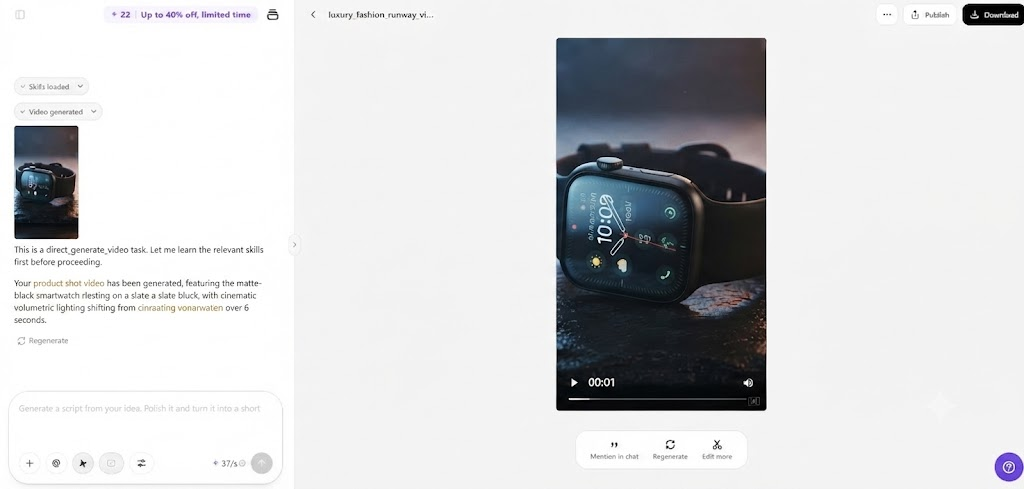
- After clicking “Generate”, Pippit’s AI video generator combines multiple actions into one smooth sequence based on your prompt and reference media.
- The AI handles editing elements like transitions, pacing, captions, avatars, voice, lyrics, and visual enhancements.
- You will receive a video draft to review.
Step 3: Edit and export your action sequence
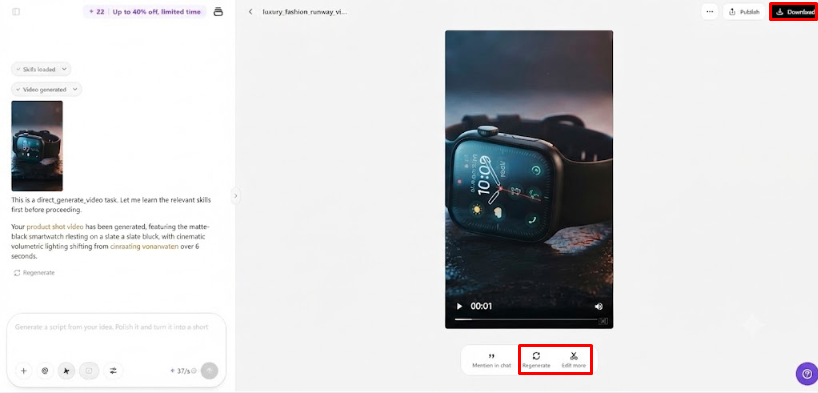
- Click the “Download” tab in the top right corner to save the video. Use “Regenerate” for a new version or click the “Edit more” tab below the video for additional customization.
- Adjust captions manually, add text, and modify size, color, alignment, filters, and effects.
- Add background music, remove backgrounds, and refine visuals to make every action flow naturally.
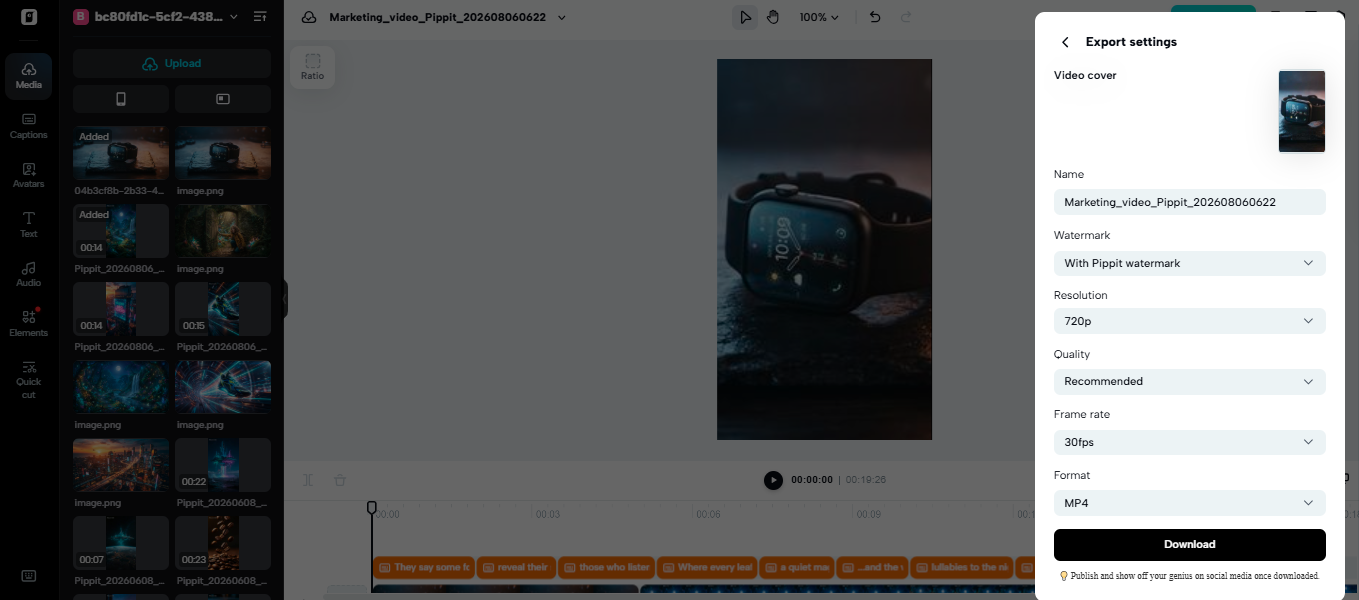
- Click “Export” in the top right corner when the video is complete.
- Select “Publish” to share directly on TikTok, Instagram, or Facebook, or choose “Download” to save the video with your preferred format, resolution, frame rate, and quality.
Structuring Multiple Actions for Smooth Scene Continuity
To create a smooth continuity, a solid structure from start to finish is essential. Start the video with an attention grabber that makes it clear what you are talking about and that it will be engaging for your audience. Link intermediate movements; make sure that each action has a logical sequence. Place things in a consistent position across scenes in order to prevent unrealistic changes in the scene. Work towards the end action, gradually moving the story. Don’t include any unnecessary movements which disrupt the sequence—an ending to the video that is smooth, so that the video does not end abruptly. After generation, Pippit editing tools enhance the timing, composition, and visual balance. A structured approach means the videos don’t look like they were hastily thrown together.
Best Practices for Connecting Actions Naturally
- Follow Logical Motion: Make sure all moves flow from the last one.
- Consistent Camera Direction: Ensure viewing angles are consistent and assist with visual Storytelling.
- Maintain Subject Positioning: Do not change the positioning of subjects between two actions.
- Supporting References: Add images to support style, composition, and continuity.
- Explicitly: Write prompts in the sequence of actions.
- Check Motion Carefully: Make sure that the motion is realistic before exporting the final video.
Seedance 2.5 Features That Enhance Connected Action Videos
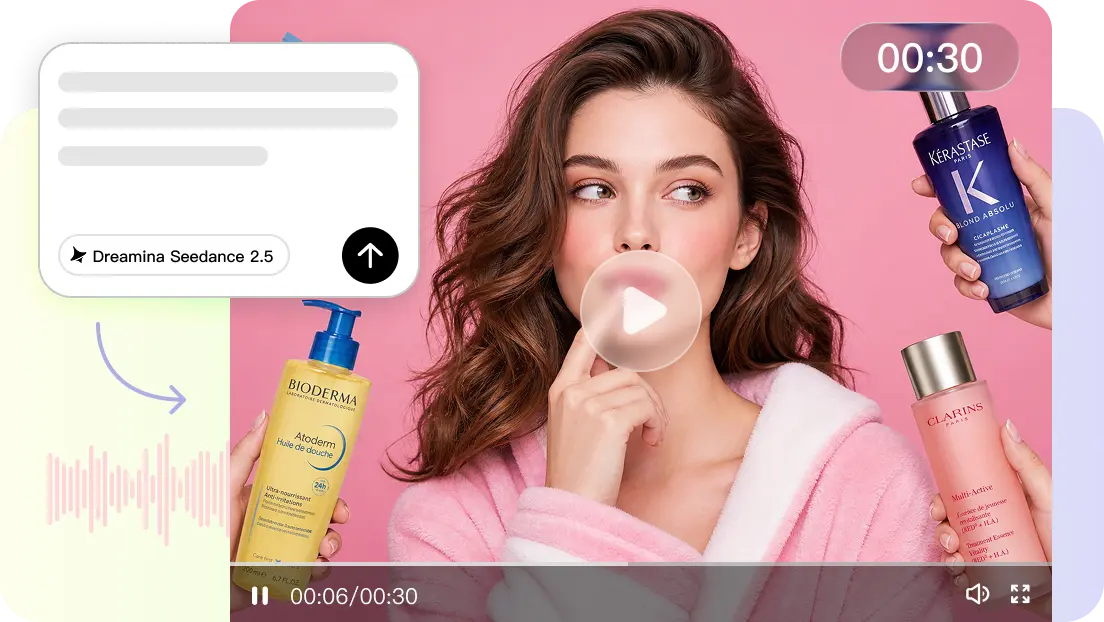
Seedance 2.5 offers features to make connected video sequences more controllable. The platform has the ability to produce 30-second videos in a single continuous shot. This method can be used for product reveal, lifestyle scenes, and short stories. Timestamp prompts are useful to mark key moments in the video timeline. Creators can specify what to do at each point for control. Director-level camera movement enhances the presentation and visual direction of a film. Realistic physical motion logic for natural object behavior and lifelike interactions. Multi-modal references guide subject appearance, composition, and style. Footage extension: enables creators to extend scenes without the need to rebuild entire videos. These features make it easier to keep things consistent in longer creative works.
Optimizing Multi-Action Videos with Pippit Editing Tools
The editing options are available with Pippit, which enhances the created video. Tweak captions and text components to align with branding and communication goals. Make scenes more colorful and add effects to make them more visually appealing. Different environments can be replaced with the use of green screen tools. Make adjustments to layouts, timing, and elements to fine-tune visual composition. Export videos that are platform-ready for social media, campaigns, and digital marketing. These tweaks are helpful for converting drafts generated into polished content. Generation and editing in one process leads to a more efficient production workflow. Creators can enhance the details without losing the original action sequence.
Conclusion
Careful planning, clear prompts, and consistent references are essential for connected AI videos. Seamless action sequences are easier to create thanks to the controlled generation and editing features of Pippit. Structured Storytelling improves the flow, pacing, and visual continuity within each scene. All transitions are checked to make sure that the outcomes are realistic before they are published. Creators can develop engaging video content with a smooth flow of actions by carefully refining their work.